Posts

Showing posts with the label MECM

MECM Device Online Status Report
Image
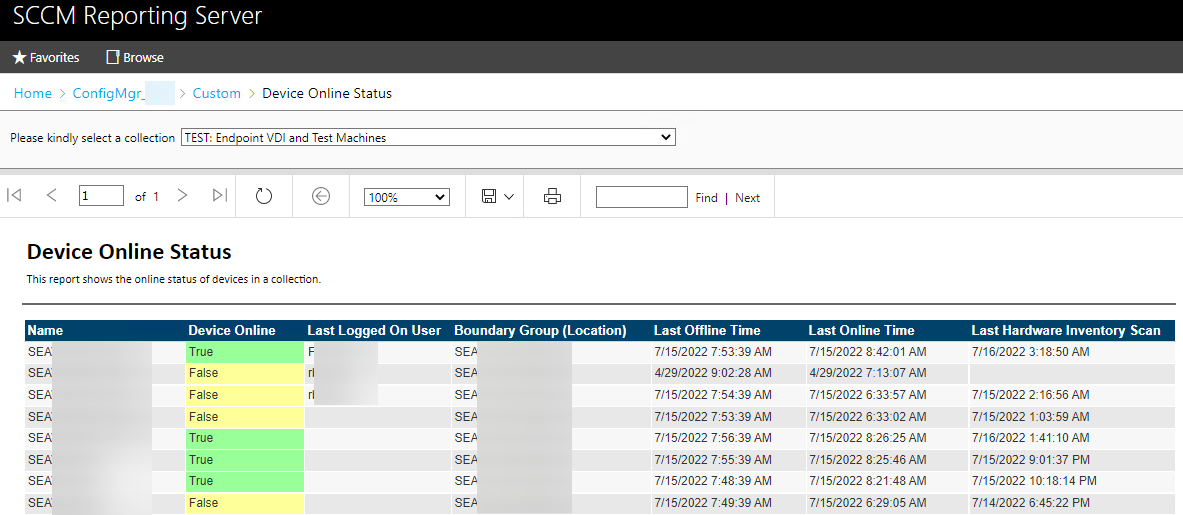
My organization has a need to monitor the online status of a select set of devices. While MECM is not a monitoring tool you can easily report on the client online status  which is that green check box that shows up next to a Device if it's online. I wrote a quick report that queries SQL for that magical green check box and shows you some basic info. The report has the device name, online status, last logged on user, boundary group(s), last online/offline time, and the last hardware inventory scan time. As with any report, you'll need to change the Data Source to your site's default once you import it. If you're not familiar with importing reports and changing the Data Source, head over to  System Center Dudes  and take a look at their great article on it. The Data Source part is a little bit down from the top in the section called CHANGE THE DATA SOURCE .  Download Here:    rudybankson/MECM-Device-Online-Status-Report (github.com) And if you like this, plea...
MECM & Intune Lab Links

Image
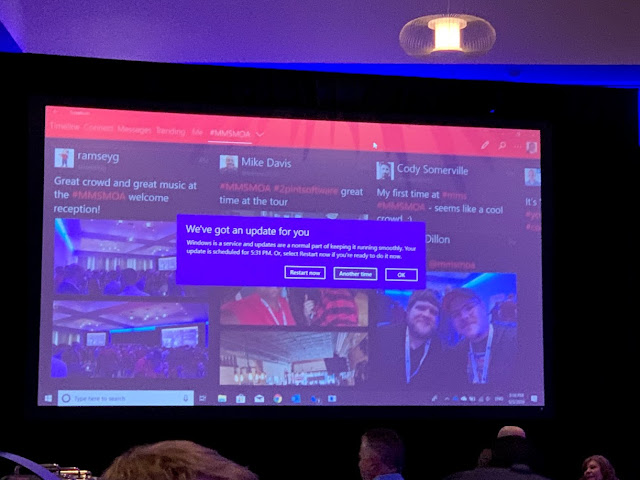
 ‘Twas the night before #MMSMOA, when all thro’ the house, all sorts of nerdy creatures were stirring, especially a mouse. Hundreds of lucky attendees and speakers were giddy with excitement. What will we learn? Who will we meet? For some it’s their first time, for others it’s a family reunion. But one thing is certain. This is the biggest tech event of the year for all things endpoint management. A huge thank you to all the sponsors for making this event happen, especially Patch My PC for their continuous support of our profession and for their commitment to making the best damn patching product you could ever ask for! Let’s cut to the chase. DON’T F***ING TEST IN PRODUCTION THIS WEEK!!! You’ll make a lifetime of connections at an event like this, and you’ll also see a lifetime of shiny cool tricks all in 4 jam packed days of beer drinking and learning. USE A LAB! This week does not need to be a resume generating week. And if you’re not at MMS, you should still setup a lab just...

Custom Global Condition for Windows Features in MECM

Image
It’s time for another back to the basics on Application building in MECM. You’re getting ready to create an Application in MECM. Said Application requires that a specific Windows Feature is enabled. I know I could use PowerShell App Deployment Toolkit or even a small custom PowerShell script to handle enabling the feature and running the install, but in this case I don’t want the Application to install if a particular Windows Feature is not enabled. To do this, I’m going to create a Custom Global Condition to detect if the Windows Feature in question is enabled. Open your MECM console and go to \Software Library\Overview\Application Management\Global Conditions. Click on Create Global Condition on the ribbon. Give your Global Condition a name that makes sense for your environment. Put in a quick description of what it checks for. Device type is Windows and Condition type is Setting . Setting type is Script and Data type is String . Click the Add Script button . For the Script...

Temp Local Admin through MECM Run Script

Image
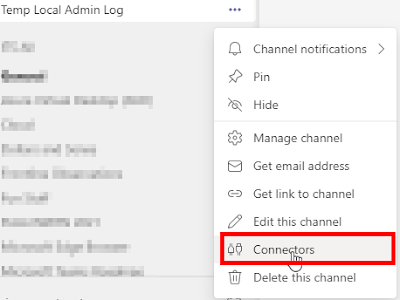
You’re a Config Manager administrator but your user account doesn’t have local administrator rights on any of the computers you have to support. What now?! If only you had access to an enterprise management tool that could run a PowerShell script on any computer it manages. Yeah, I went there. Download Script:  https://github.com/rudybankson/Temp-Local-Admin I wrote a script to add a user to the Administrators group on a computer for a variable time period. When time expires, a scheduled task runs once to remove the user from the Administrators group and 10 seconds later the scheduled task self-destructs in a scene only topped by Tom Cruise in Mission Impossible. When you run the script, an event is logged in the event viewer and a Teams channel is notified using a Teams web hook. DISCLAIMER:   This method of adding a local administrator is far from secure. Unless you have Group Policy or some other tamper resistant 3 rd party tool managing your Administrator group, your ...

MECM Client Diagnostic Logs

Image
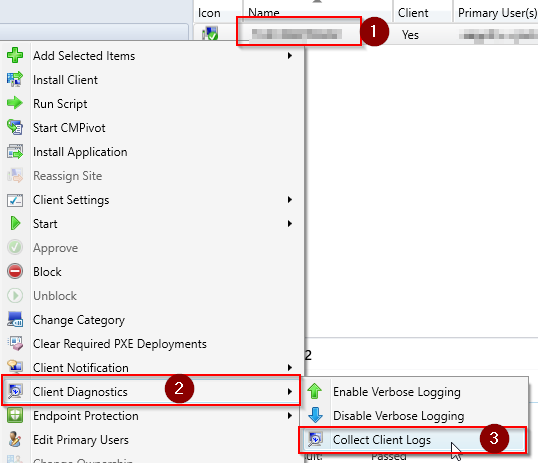
Have you ever wanted to look at MECM client logs for a remote system? If your organization follows security best practices, it can be a challenge just to navigate to the C$ share on a system and access the CCM logs folder. Check out the little-known Client Diagnostics > Collect Client Logs right click option in the MECM console. It will use the Client Notification fast channel (near real-time) in MECM to collect the contents of %windir%\ccm\logs along with some basic diagnostic data about the system. The MECM client zips up the logs and diagnostic data and sends it to the MP. To view the logs you just have to right click on the device, go to Start, and click on Resource Explorer. The Diagnostic Files section of Resource Explorer will show any recent log/diagnostic collection data. Collecting Client Diagnostics & Logs Open the MECM console and go to Assets and Compliance\Overview\Devices. Right click on a Device (1), go to Client Diagnostics (2), and click on Collect Client Logs ...